
Do Not Disturb by default
Do Not Disturb is on for as long as DetoxDroid runs. Notifications still arrive, they just have to wait until you come looking.
 DetoxDroid
DE
Digital detox for Android. Free and open source.
DetoxDroid takes the bait out of your Android phone, all the things that make it so hard to put down: the colour, the pings, the feed that never ends. And it stays out until you pause it on purpose. Go on, try it right here.
It does to this page what it does to a phone.
Android 8 and newer · GPL-3.0 · 500+ stars on GitHub · no ads, no account
Most digital detox apps want you to sign a contract with yourself. No phone for the next 30 minutes, no more than half an hour of Instagram a day. A few even take your money as a penalty when you break it. And the later it gets, the harder it is to stick to.
DetoxDroid has nothing to start and no session to survive. The calm phone is simply the phone you have. When you do need it in full colour you pause DetoxDroid on purpose, and a few minutes later it is back on without asking.
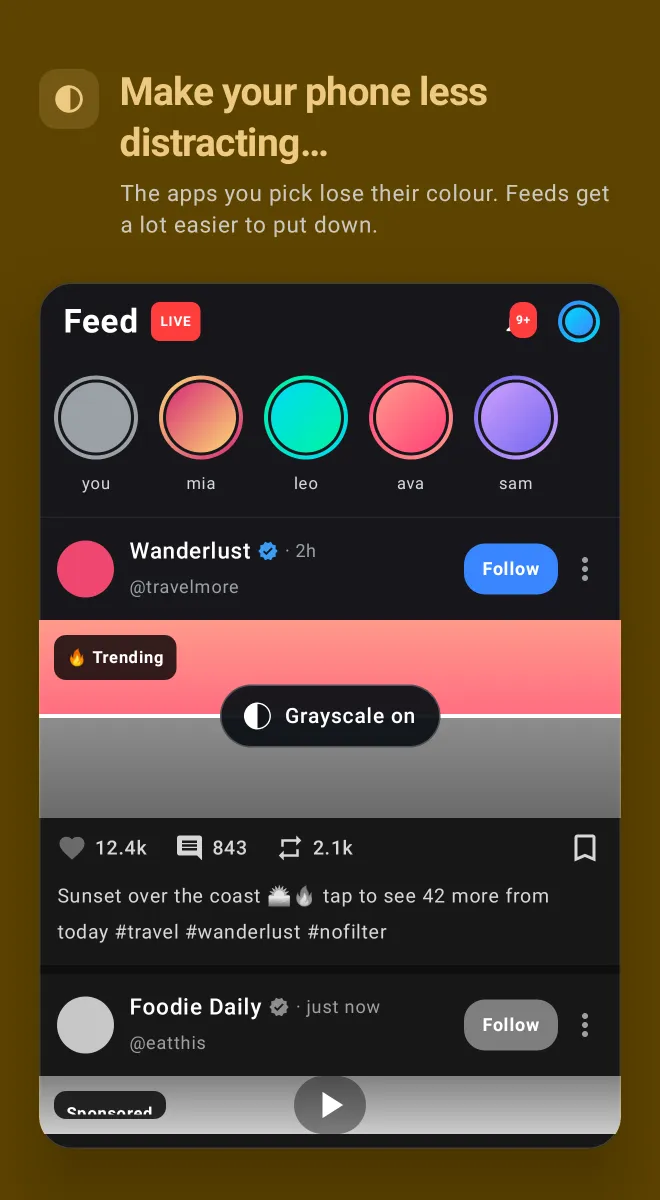
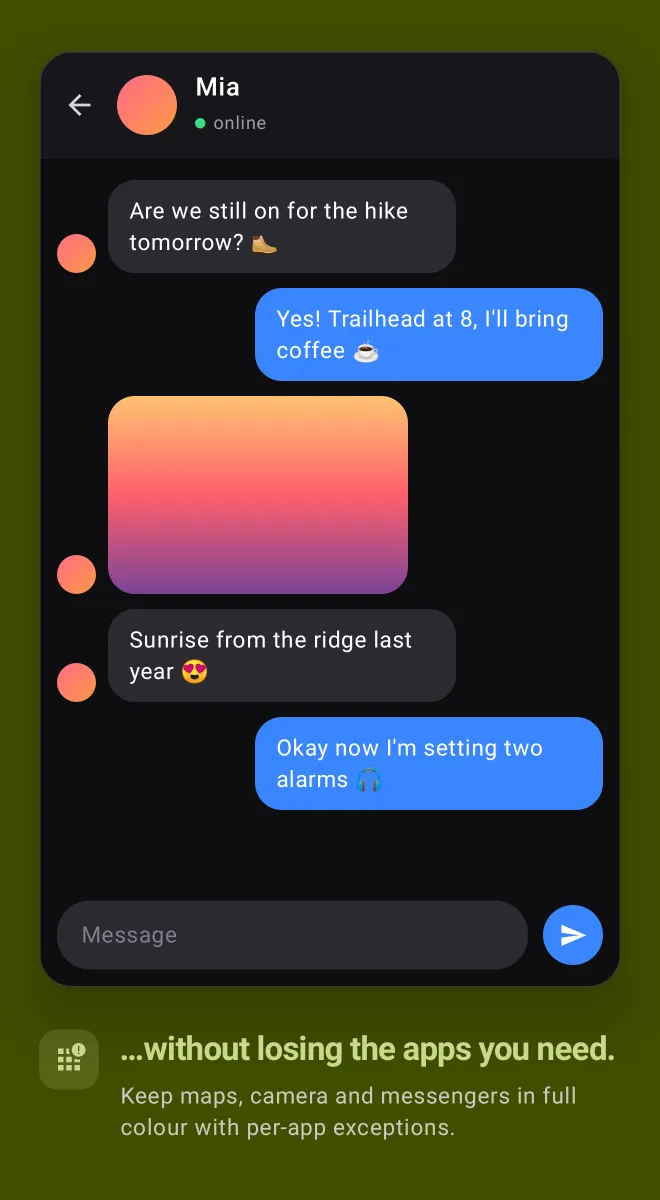
The apps and websites on your list lose their colour, from the first minute or once part of their time is used up. Or they go blurry on top of that, until a feed is nothing but shapes: you still find your way around, but watching Reels just isn't fun any more. The camera, maps and anything else where colour really matters go on the exception list.
Feed is on the list, so the switches below apply to it.
Try it: scroll the feed in the phone. DetoxDroid watches how far and how fast you scroll, and when it looks too much like doomscrolling it steps in and interrupts you. After that the feed stays locked for a while, 30 seconds in this demo. On Reels, Shorts and TikTok it also counts the videos you swipe past.
Nothing scrolled yet.
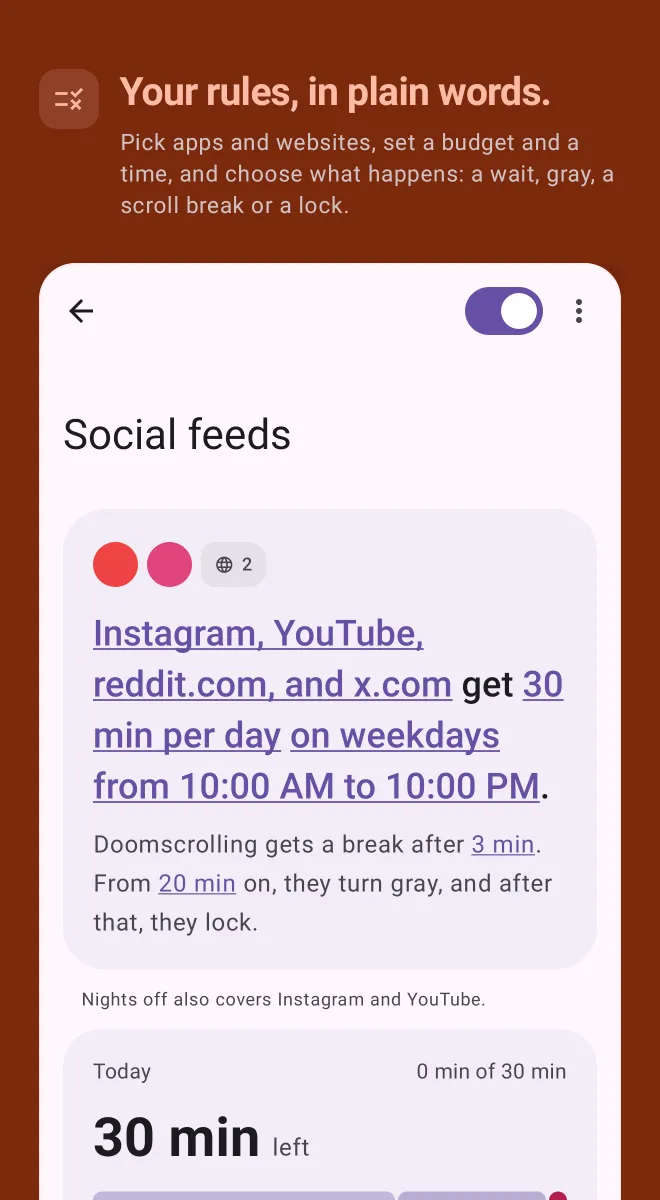
The apps that distract you most can take a moment before they open. Five seconds is enough to break the muscle-memory reflex and give you a second to think about whether you really meant to open it. You can also give them a time budget, per day or per hour: once it's used up they stay locked until it starts over, or get deactivated outright, launcher icon and notifications included. The same works for websites, with ready-made lists for porn, gambling and more.
Tap Feed or Clips in the phone. Camera and Maps aren't on the list.
Up to here the page has been playing the app. These are the real screens.



Do Not Disturb is on for as long as DetoxDroid runs. Notifications still arrive, they just have to wait until you come looking.
For when you really need your phone: pause DetoxDroid from Quick Settings, from your assistant, or by holding a hardware button for two seconds. It picks up again by itself, and a minimum gap between two pauses keeps them from turning into a habit.
A commitment password locks the settings, so the you at 1am can't overturn what the sensible you once decided. Keep it yourself, or give it to someone who won't hand it back the second you ask.
For the moments you notice you're slipping: for a set time everything runs at its strictest. The whole screen goes grey, locked apps stay locked, and schedules and pausing are off. Ending it early takes a ten-minute wait.
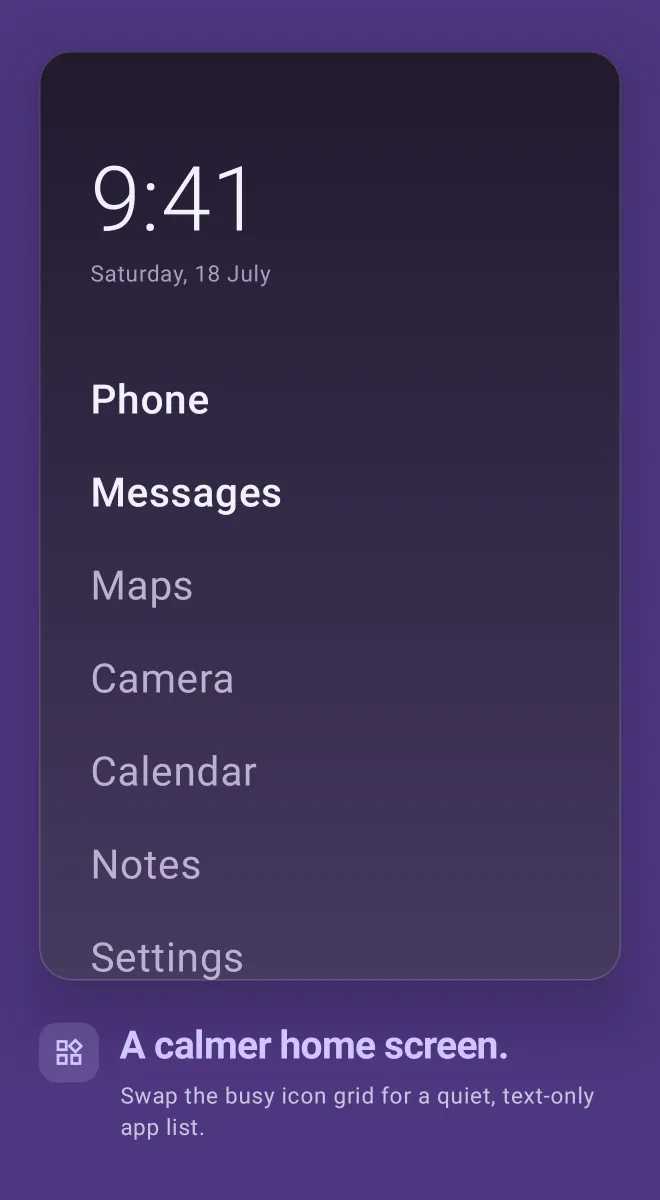
One shows today's screen time, from a single number up to your apps and budgets, depending on how big you make it. The other is a launcher of plain words: the apps you meant to open, no icons, no badges.
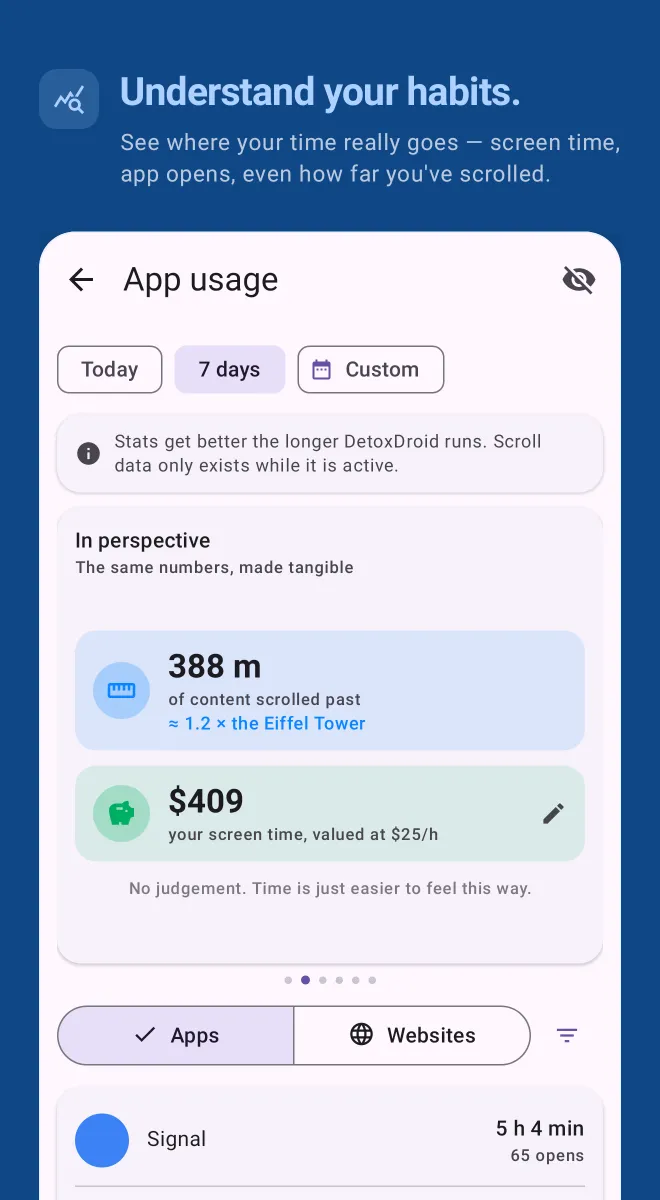
Screen time per app and, if you want, per website. How often you opened it, even how far you scrolled. DetoxDroid gives you numbers about your phone use that you actually understand.
No judgement. Time is just easier to feel this way.
Ten apps people weigh DetoxDroid against: the other open-source ones, the tools already on the phone, the friction apps, the blockers. A few words per cell here, the detail on tap. Every column links to a longer comparison with the full table and what the other app does better.
| DetoxDroid | Curbox | Reef | Digital Wellbeing | one sec | ScreenZen | AppBlock | Stay Focused | Lock Me Out | Freedom | Digital Detox | |
|---|---|---|---|---|---|---|---|---|---|---|---|
| Makes apps gray | |||||||||||
| Breaks doomscrolling | |||||||||||
| Wait before an app opens | |||||||||||
| Daily time budget | |||||||||||
| Schedules | |||||||||||
| Blocks websites | |||||||||||
| How you get out | Pause, password, brake | QR, NFC, maths, a sentence | Flexible or strict mode | Delete the timer, or a PIN | A strict block option | Block at the limit | Strict Mode, a second person | Strict Mode, device admin | Password, or pay to end early | Locked Mode (Premium) | Pay, or a quit code |
| Data it collects | |||||||||||
| Open source | |||||||||||
| No account needed | |||||||||||
| Price | Free, donations | Free, no ads | Free, no ads | Free, built in | Free for one app; Pro | Free, donations | Free; Premium | Free with ads; Premium | Free; Premium | Free plan; $39.99 a year | Free; pay when you break it |
| Runs on | Android 8+ | Android 8+ | Android | Android, most phones | iOS, Android, desktop browsers | iOS, Android | Android, iOS, browsers | Android, iPhone | Android | Android, iOS, Mac, Windows, Chromebook | Android |
yes~partlynot offered, or not in its listing?the listing does not say
Every cell is read from the app's own Play listing, website, docs or code on that day. German law asks a comparison to be objective and checkable, and it is also simply the honest way to do it. "Not listed" means I couldn't find it there. If a cell has gone stale, tell me.
Google Play F-Droid APK from GitHub
Free. No account, no ads, no tracking. Android 8 or newer.
Android only lets an app touch the system colour filter if it holds a permission called WRITE_SECURE_SETTINGS, and there is no dialog to tap for it. Grant it once and the grey wash becomes actual grayscale. Extra Dim comes with it, which takes the screen below the minimum brightness Android normally allows. The permission survives reboots.
No computer needed. The app walks you through it on the phone, in about five minutes. Shizuku itself has to be started again after every reboot. The permission stays.
One tap inside the app.
Switch on USB debugging, connect the phone and run the install script for your system. It fetches adb and grants the permission. Or type the one line yourself:
adb shell pm grant com.flx_apps.digitaldetox android.permission.WRITE_SECURE_SETTINGSNo ads, no tracking, no account. Whatever the app works with stays on the phone. Every feature is there for everyone.
I'm Felix, and I build DetoxDroid on my own in my spare time. If it has earned a place on your phone and really helps you: I'm happy about ideas, feedback and a small donation. :)
It's on the exception list, so it stays in colour.
Spare one coffee of that?
3 and 5 € go through PayPal, the 10 through Ko-fi. Or: monthly via Liberapay